DepoGenius
Making case files easier to organize, question, and trace back to their sources.
Context
DepoGenius helps attorneys prepare for depositions and trials using the records in a case. Documents feed into reports, a case overview, and a timeline, so file management is the starting point for the analysis that follows.
The redesign focused on that connection: helping attorneys move from a collection of files to a question, a summary, or an event supported by a source document.
Problem
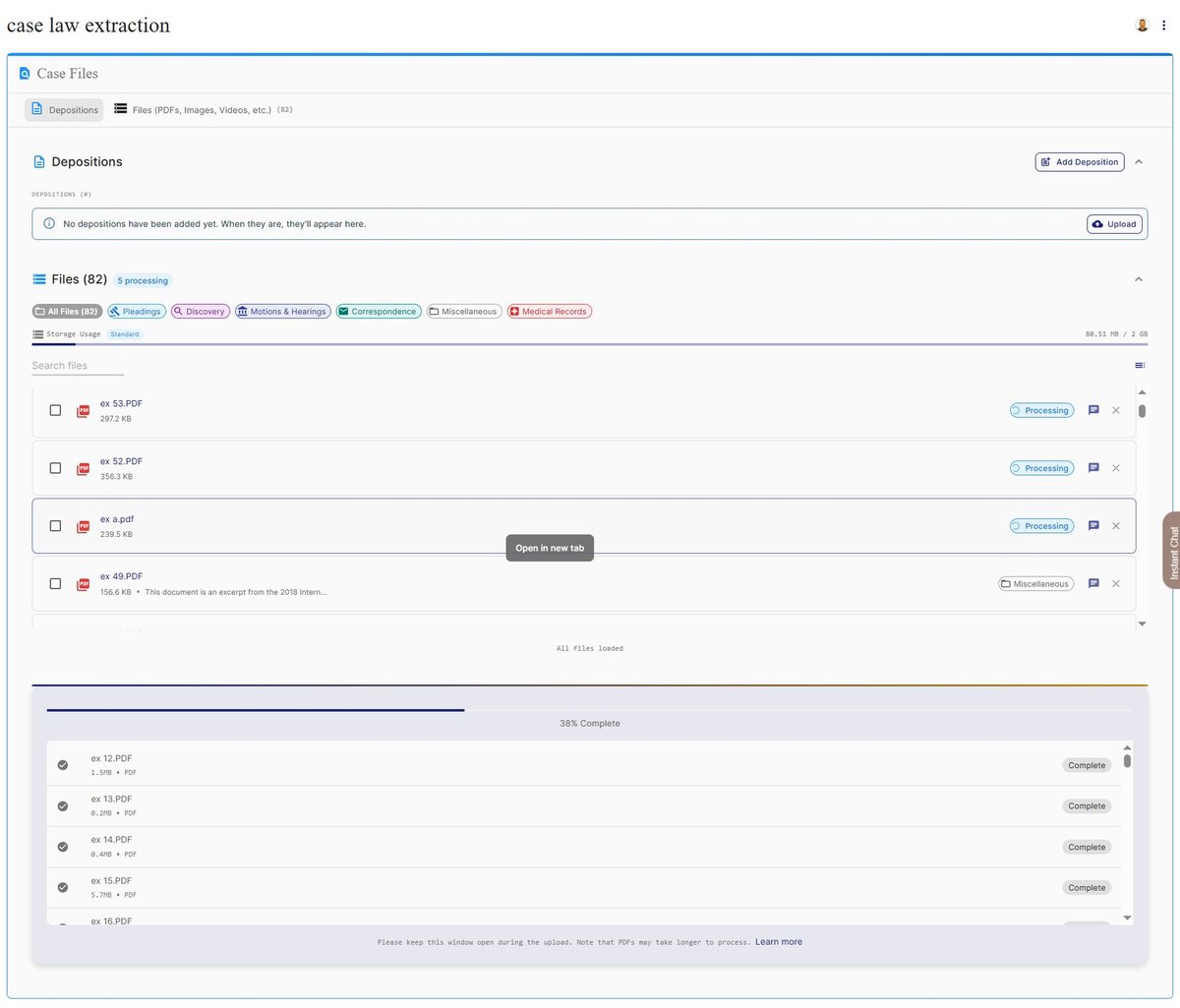
The original Case Files screen gave deposition controls, document categories, file cards, and upload progress similar visual weight. Large cards left little room to compare files, while competing controls made the next action harder to find.
The features were already there. The problem was their hierarchy. The workspace needed to make documents easier to scan and organize, then provide a clear route into case analysis.
Approach
I replaced the file cards with a compact table. Names, document types, and upload dates align across rows, making comparison easier. Search and type filters narrow the list; bulk actions appear when files are selected. Deposition upload stays in its own flow, separate from general document management.
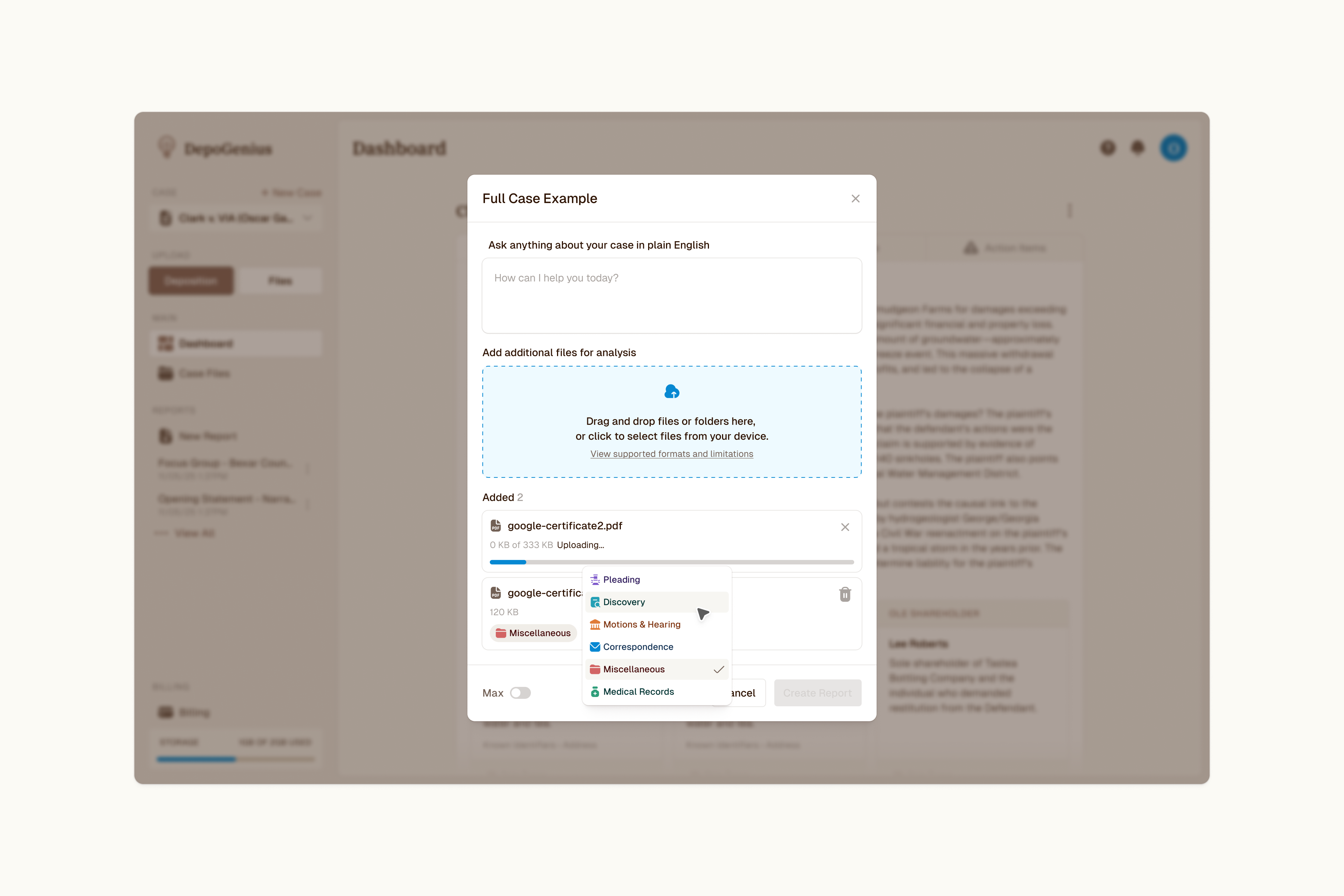
Report creation keeps the question and its evidence together. A focused modal lets attorneys write a question in plain English, add documents, and assign their types. Each file carries its own upload progress, so the supporting material stays visible while the report is being prepared.
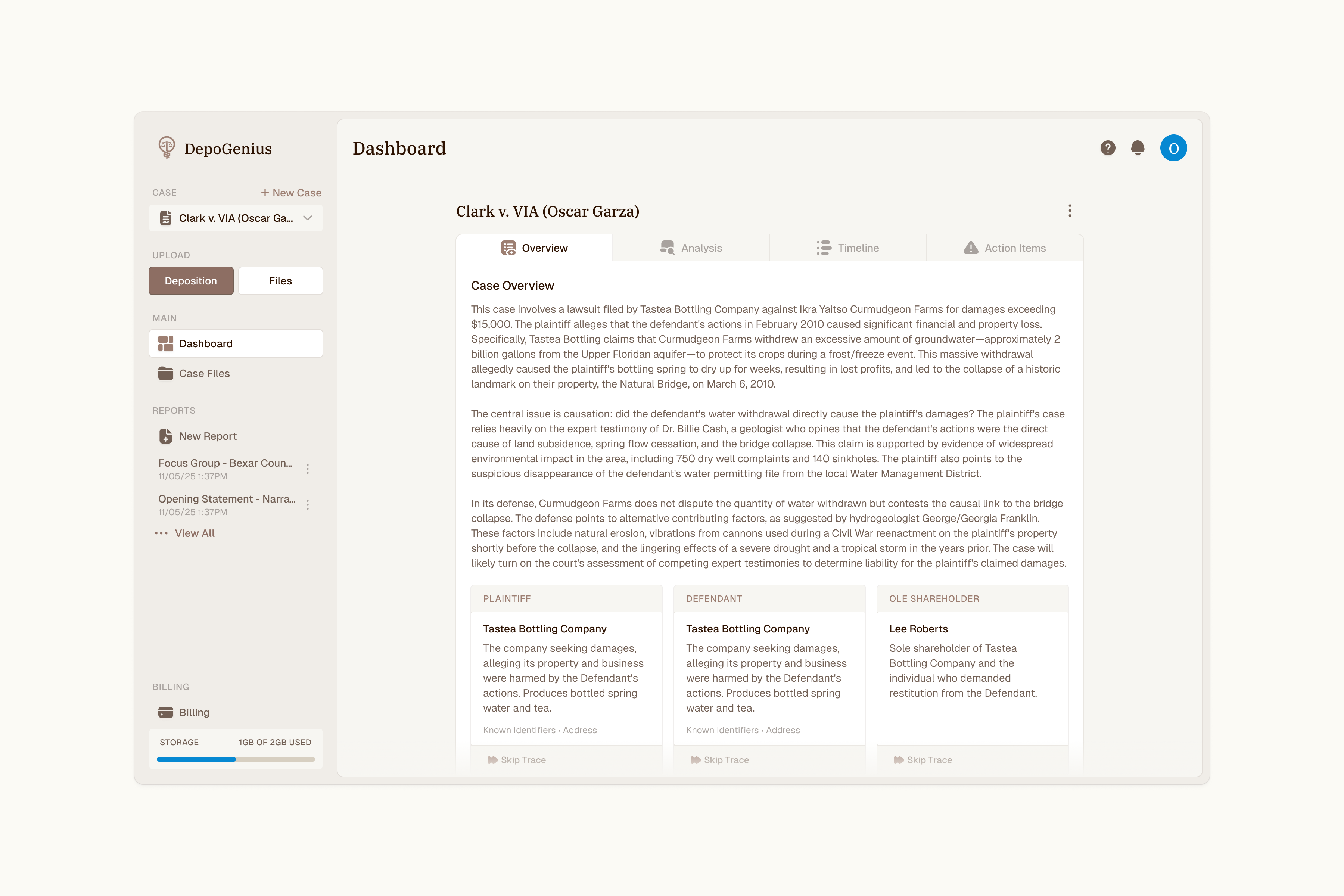
The Overview tab gives the case a broader frame: a summary alongside the people and organizations involved. It shares navigation with the file workspace, so attorneys can move between the records and the context they describe.
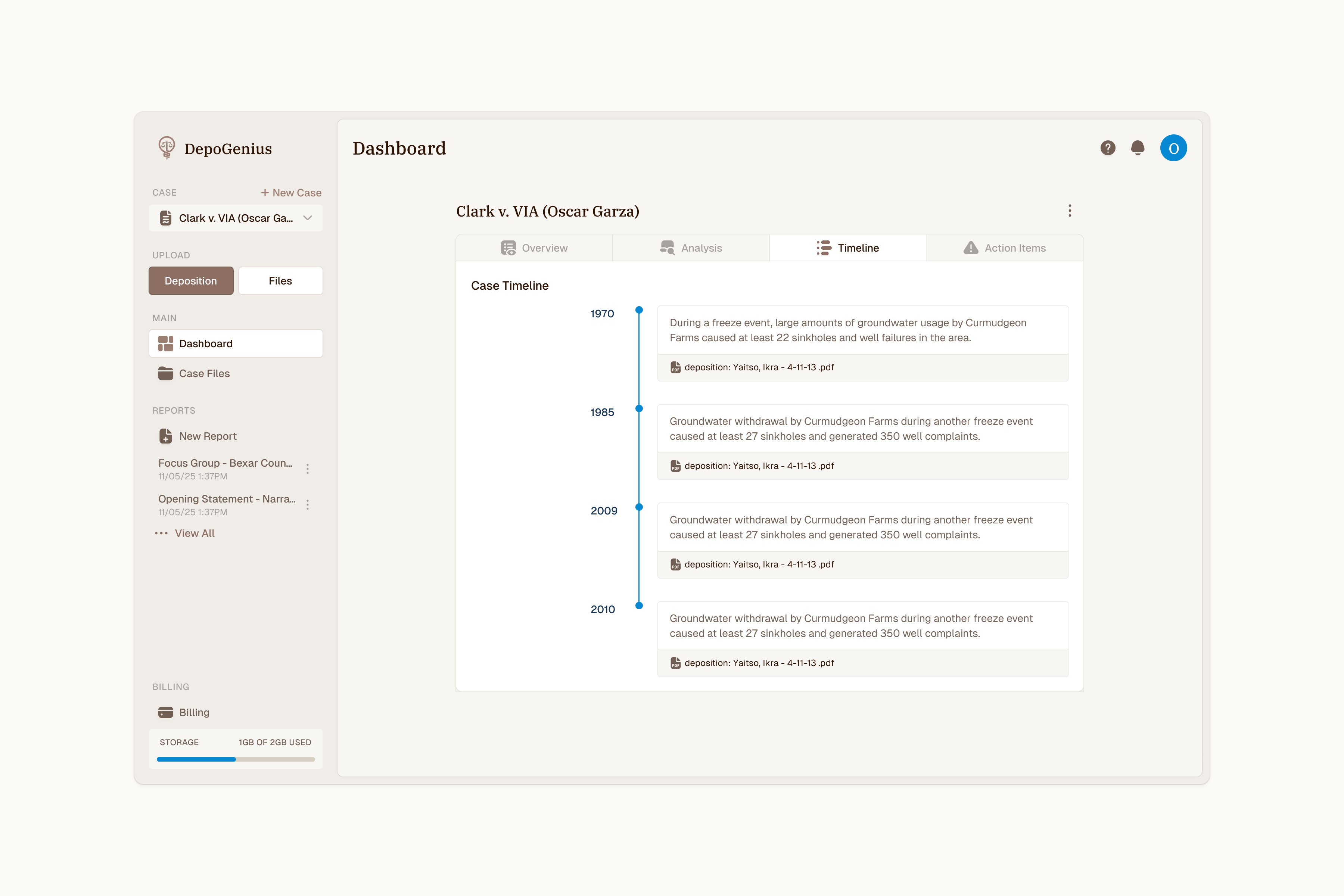
The Timeline pairs chronological events with source-document references. The narrative remains connected to the records behind it, giving attorneys a route from an event back to its supporting material.
Result
The redesigned workspace connects file organization, report creation, and case review. A consistent navigation structure gives each step a place, while source references keep summaries and events tied to the documents.
The interactive Case Files prototype demonstrates upload, document-type changes, and reversible bulk actions. The screens use example content to show the intended workflow.